Label creation & printing
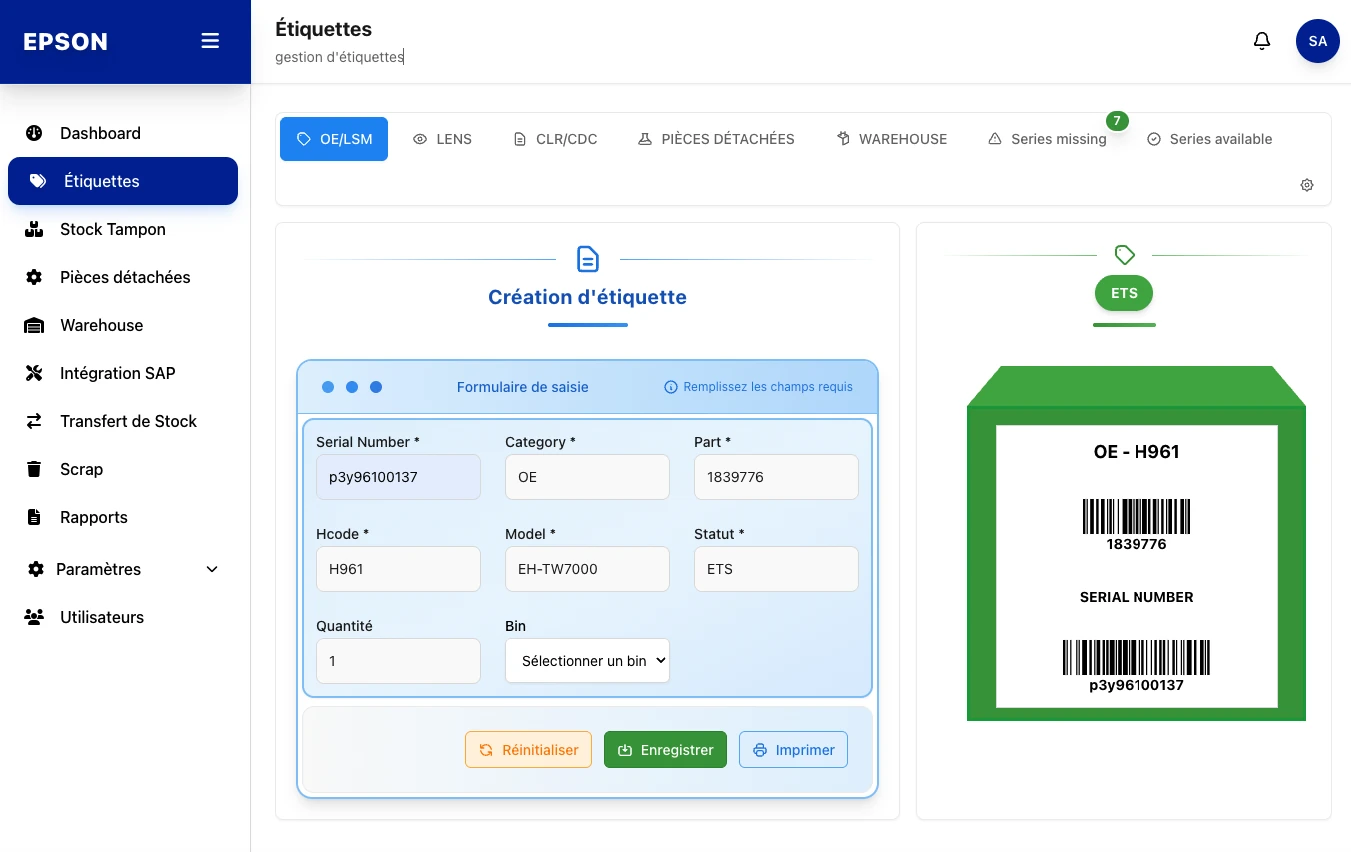
A clear input form (Serial Number, Category, Part, Hcode, Model, Status, Quantity, Bin) generates a live label preview with its two barcodes, ready to print.
- Live preview
- Barcode
- OE · LSM · LENS
- Printing

freshmarkom
Loadingtogether
Get your project assessed in 48h. We come back with a clear proposal and timeline.
A custom web platform for Epson's industrial teams: label creation and printing, buffer-stock tracking, spare-parts management, warehouse receptions and direct SAP synchronization, all in a clear, fast and fully responsive interface.
Role
Design and development
Platform
Web app (Desktop · iPad · Mobile)
Stack
Symfony · React
Scope
9 business modules

A workshop printing hundreds of labels a day needed a single source of truth for its serials, stock and SAP exchanges.
Labels generated by hand, serials nowhere to be found, data scattered across spreadsheets and SAP. No real-time visibility on what is missing or available.
Centralize barcode label creation, buffer stock, spare parts and warehouse, and cleanly push every item to SAP.
A coherent design system anchored in Epson's identity, reusable components (cards, tables, status badges) and a clear sidebar covering 9 modules.
Each area of the app addresses a precise step in a serial's lifecycle, from creation to SAP push or scrapping.
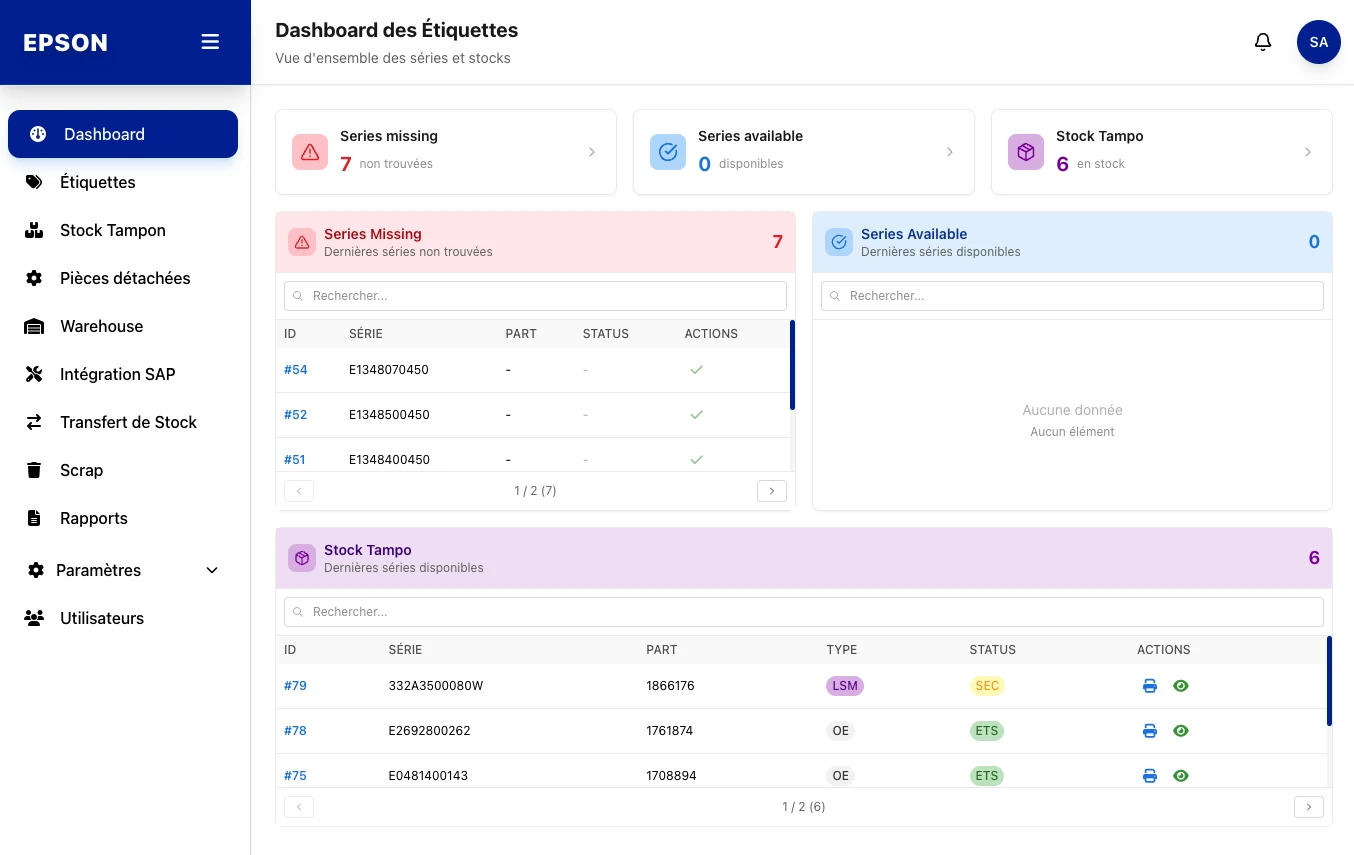
Real-time overview: missing, available and buffer-stock serials, with search and pagination.
Create OE/LSM, LENS and CLR/CDC labels with a live barcode preview and direct printing.
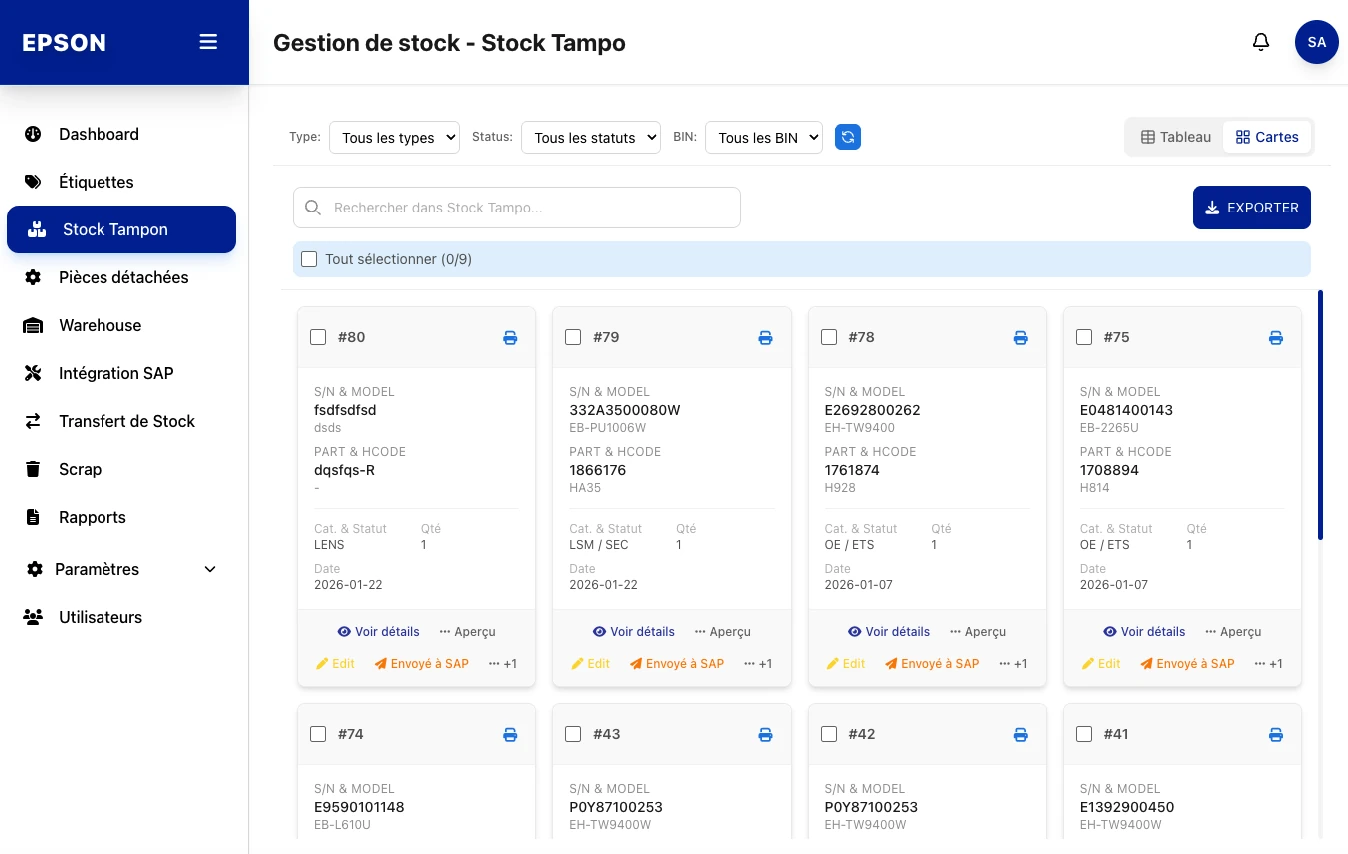
Manage buffer stock in card or table view, filter by type, status and bin, export in one click.
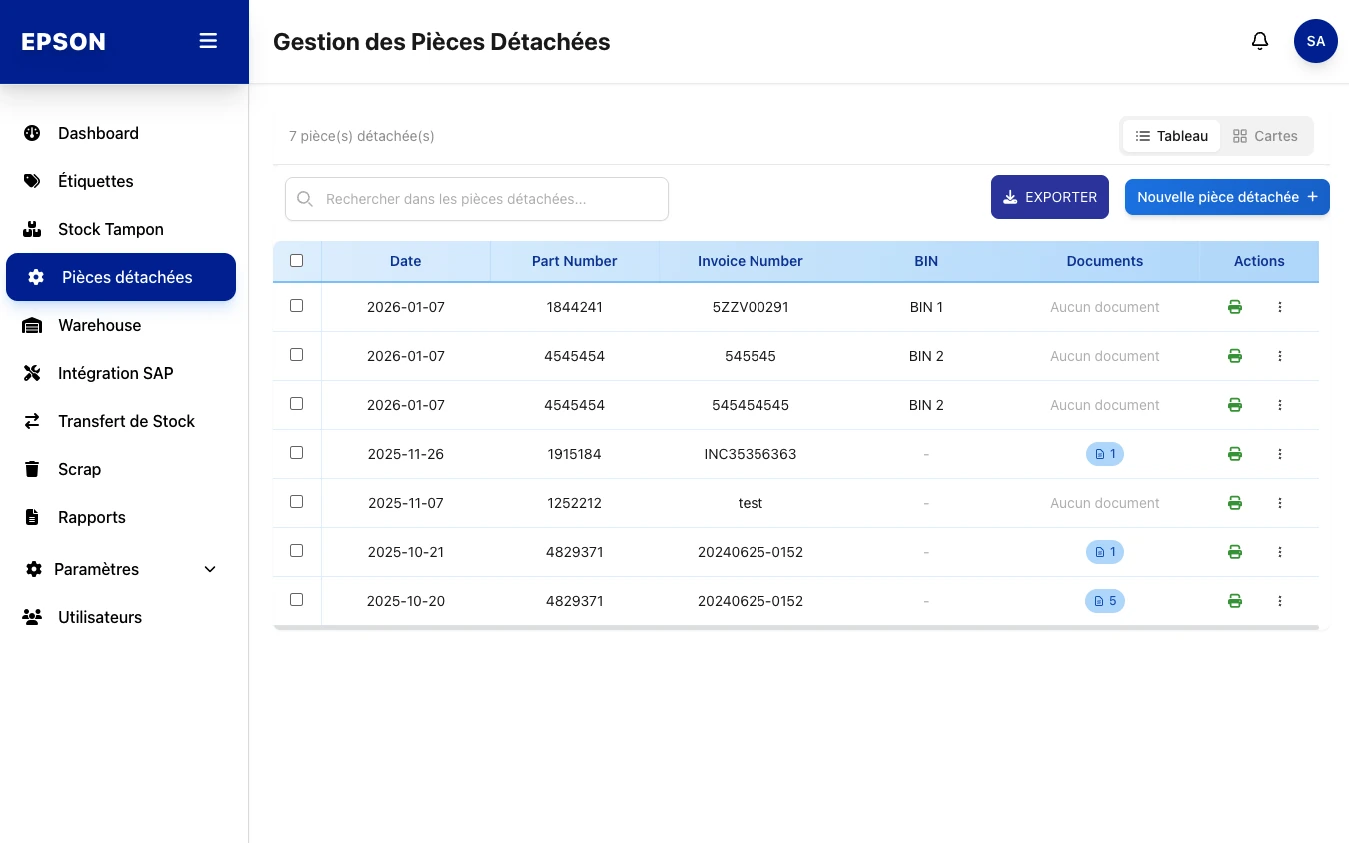
Track spare parts by number, invoice and bin, with attached documents.
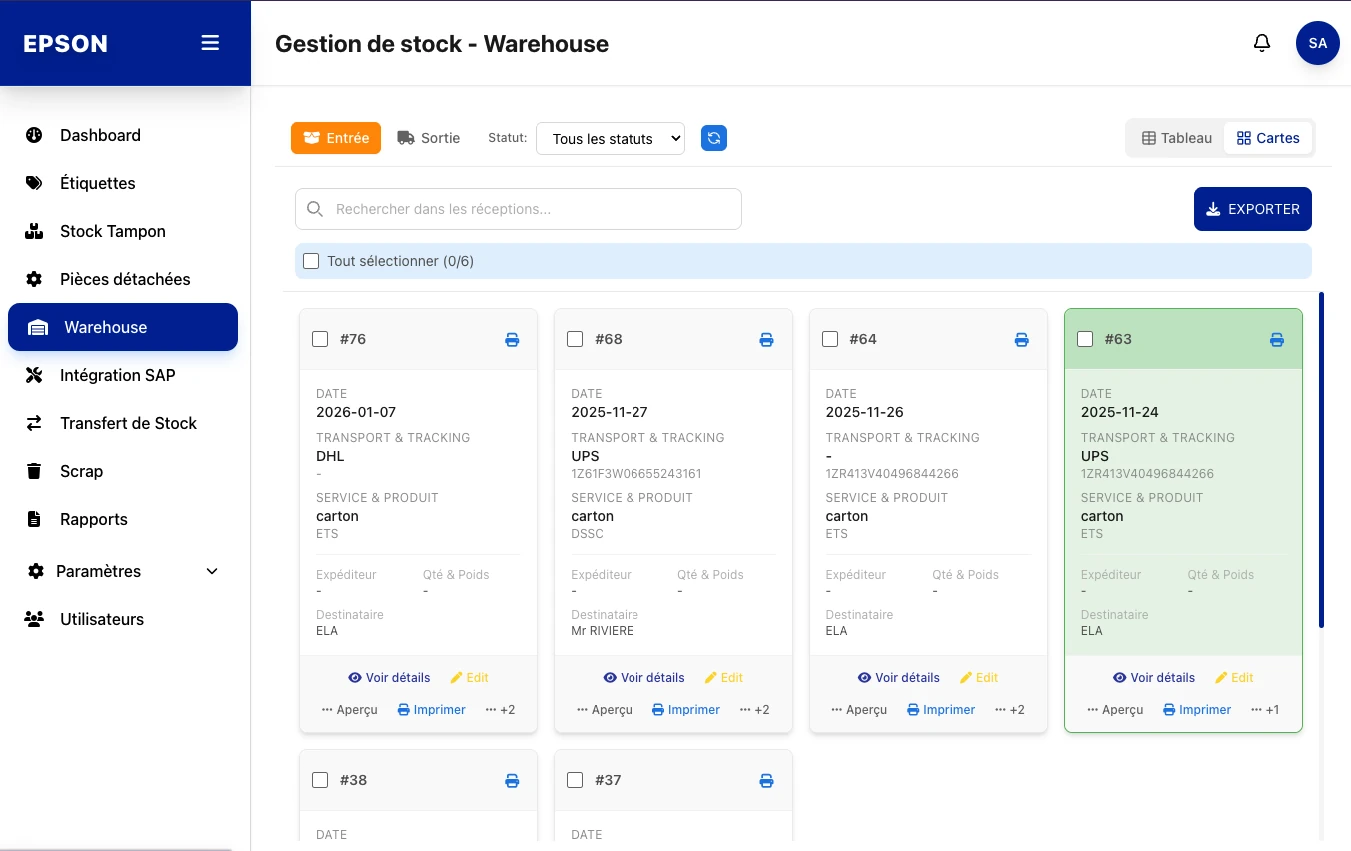
Inbound and outbound (In / Out): carrier, tracking, sender and recipient.
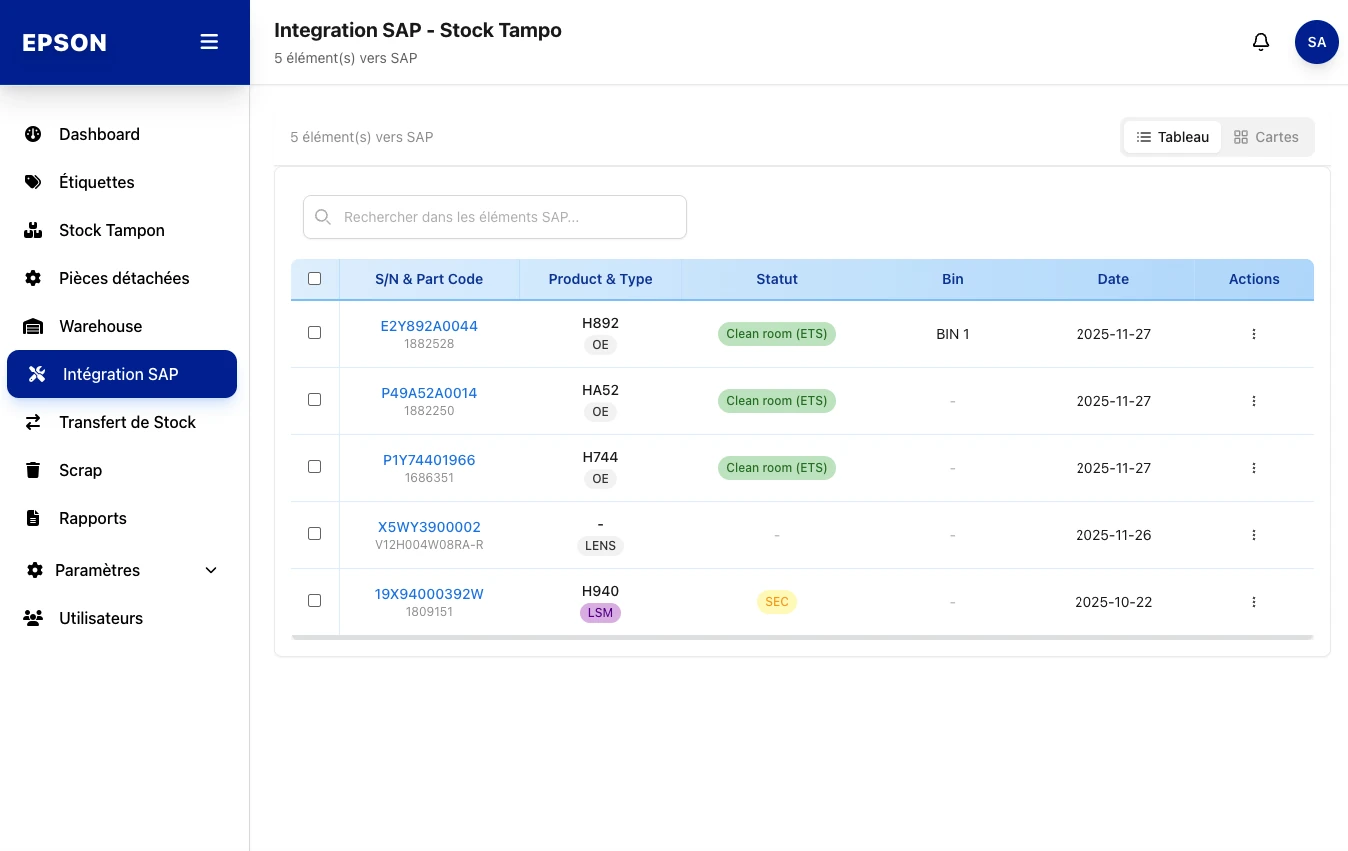
Queue of items to sync to SAP with clean-room status and batch validation.
Move serials between bins and locations with full movement traceability.
Scrap management: record scrapped serials by product code, type and date.
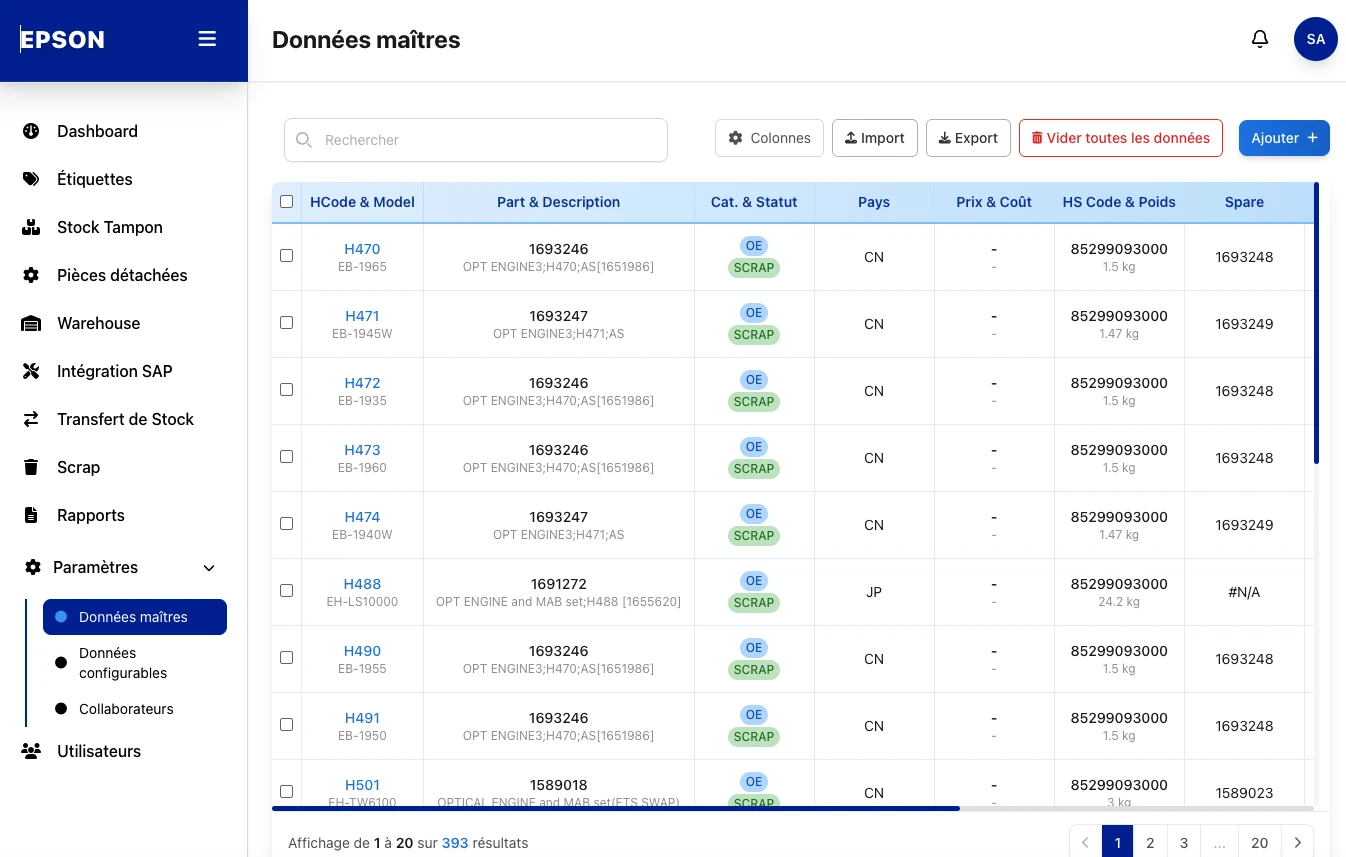
Repository of 393 products: HCode, model, description, country, price and customs code, with import/export.
A white grid, an Epson sidebar and a status-badge system, applied consistently to every business view.
A clear input form (Serial Number, Category, Part, Hcode, Model, Status, Quantity, Bin) generates a live label preview with its two barcodes, ready to print.

Each serial shows as a card: S/N & model, part & hcode, category, status, quantity and date. Multi-select, export and quick actions (Edit, Sent to SAP, print).

A dense but readable table: date, part number, invoice number, bin and attached documents. Each row offers printing and a contextual actions menu.

In / Out toggle, carrier and tracking, service & product, sender and recipient. Processed receptions are highlighted in green.

The queue of items to push to SAP: S/N & part code, product & type, clean-room status (ETS), bin and date. Multi-select validation before sending.

393 centralized product references: HCode & model, part & description, category & status, country, price & cost, HS code & weight. Configurable columns, import and export.

A visual language anchored in Epson's identity, a technical typography and a color status system reused everywhere.
#0033A1
#002A86
#1565C0
#2D7CF6
Product categories and clean-room statuses, readable at a glance in tables and cards.
Archivo
Manrope
E1348070450
Archivo (display) · Manrope (body) · JetBrains Mono (serials)
Missing
Available
Buffer
Clean room
Tinted KPI panels to instantly tell each data family apart.
business modules unified in a single application
product references in the master-data repository
of labels generated with a compliant barcode
screen formats supported: desktop, iPad, mobile